
How to Register at LegionBet Casino: Complete Sign-Up Guide
Signing up at LegionBet takes a few minutes, but the account you create in that first window is only half the job — the profile details and document uploads that follow decide whether your money actually leaves the site later. This independent review walks you through every field, every document and every login route, plus the licensing reality UK players should weigh up before they type in an email address.
How to Create a LegionBet Account Step by Step

Registration at LegionBet is a short form: you click Sign Up, enter an active email address and phone number, create a password of at least eight characters, tick the 18+ and terms box, and submit. That first stage typically takes two to three minutes. Everything else — your name, date of birth, address and documents — is added afterwards inside your profile, and it is that second stage that unlocks withdrawals. If you plan to claim the welcome offer, remember that the promo code is not entered on the sign-up form at all; it goes into the cashier at the deposit step.
Here is the exact order the operator uses, from the first click through to the first bonus code:
- Open the registration window. Click the Sign Up button in the site header. A compact form opens over the page rather than sending you to a separate screen.
- Fill in your credentials. Submit an active email address and a working phone number, then create a password of eight characters or more. Use an address you can open straight away, because the confirmation link lands there.
- Confirm your age and accept the terms. Tick the box stating you are 18 or older and that you agree to the terms and conditions, then tap Sign Up. The account is created immediately and you can browse and log in from that moment.
- Complete your profile. Go to Profile, then General, and fill in your name, gender, date of birth, mobile number and full home address. Verify your email and mobile number from the same area.
- Upload your documents. Open the Verification tab and submit your ID, an address document and proof that you can transact online.
- Enter the bonus code at the cashier. Codes 1LB, 2LB and 3LB are typed in at each deposit stage. Nothing is credited automatically, so a skipped code means a skipped bonus.
The practical takeaway: budget roughly three minutes for the form, another five to ten minutes for the profile and document upload, and do both in one sitting. Players who register, deposit and only think about verification when a withdrawal is pending are the ones who end up waiting. General background on the brand sits here: Home.
What Information and Documents You Need to Register at LegionBet
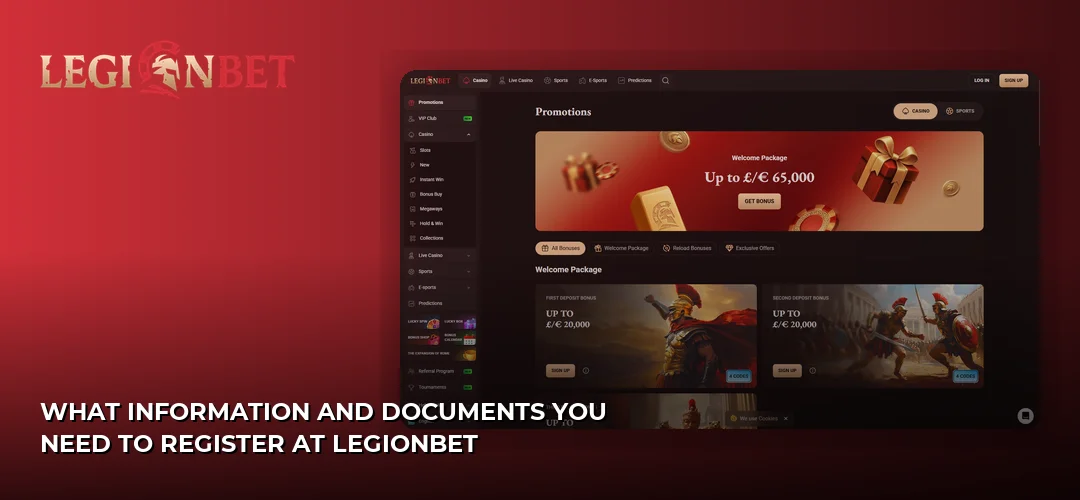
The sign-up form itself asks for very little — email, phone number, password and an age confirmation. The heavier information comes at the profile stage, where LegionBet collects your full name, gender, date of birth, mobile number and complete home address. You must be at least 18, and your address must be a genuine UK residential address that matches the paperwork you upload later. Download the app at LegionBet.
Email and phone verification are handled from the same Profile area. The email confirmation arrives as a link or code to the address you registered; the mobile number is confirmed by code. If either is left unverified, expect the withdrawal request to stall, because the operator checks contact details before releasing funds. A couple of practical points that save people trouble:
- Use your own name exactly as it appears on your ID — no shortened first names, no old surnames. A mismatch between the profile and the document is the most common reason a verification is bounced back.
- Register the phone number you actually carry, not a landline or a spare SIM, since the confirmation code and any support callbacks route to it.
- Keep one email per household member. Duplicate accounts on shared details are a standard grounds for closure at any casino, and LegionBet is no exception.
There is one thing every UK player should factor in before creating the account. LegionBet is an offshore brand launched in 2025 and operated by Amo Global S.R.L. out of Costa Rica. Sources report only a Costa Rica corporate registration, and Casino Guru records no valid gambling licence, a 2.4/10 Safety Index and 14,478 black points. In plain terms, there is no UK Gambling Commission licence behind this account: no UKGC dispute pathway, no IBAS ADR escalation and no Financial Ombudsman jurisdiction if something goes wrong. The same operator also runs HadesBet, Slot Lair, Winorio, Betrolla, Lucky Wave, Hidden Jack and Amonbet. That is not a reason to skip the registration guide — it is a reason to read it carefully and keep your own records.
What Verification Documents LegionBet Asks For Before Your First Withdrawal
Verification is mandatory before you can withdraw. In the Verification tab you upload three things: photo ID, a document proving your UK residency, and an image showing you can transact online. According to the operator, accounts are usually verified in under three hours, and the operator also credits free spins to players who complete the process.
Photograph documents flat, in daylight, with no fingers over the text and no glare across the plastic. Cropped edges and blurred dates are what turn a three-hour check into a two-day back-and-forth. On the card image, cover the middle digits and the CVV — the operator only needs the name, the first six and last four digits and the expiry. If your address document is a bank statement, make sure the address block is legible rather than folded into a page break.
Do this on the day you register rather than the day you win. Verification is the single step that stands between an approved balance and a payout, and getting it cleared while you have no money waiting removes all the pressure. Timings and limits for the payout itself are covered on the dedicated page: LegionBet payment methods.
How to Log In to Your LegionBet Account After Registration
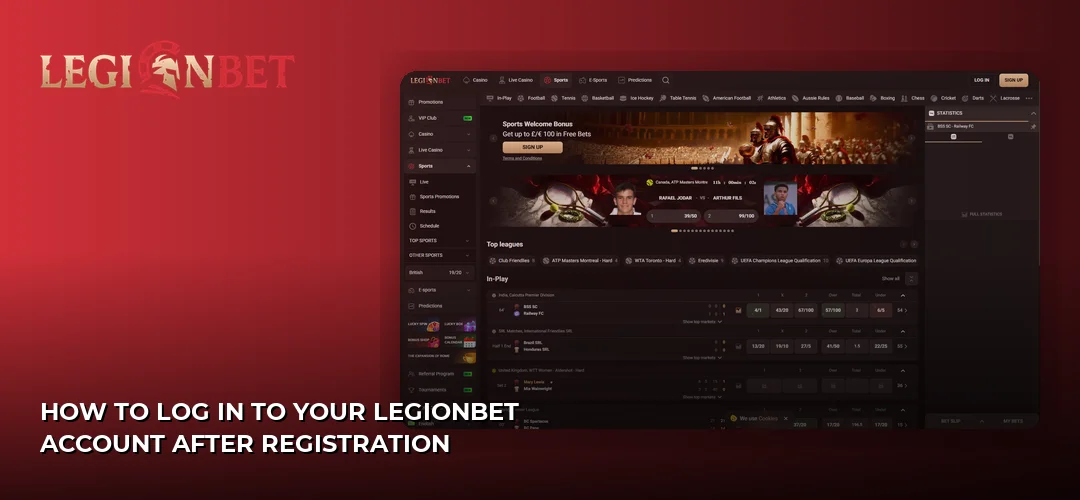
Logging in is the same everywhere: click Log In, enter the email address you registered with and your password, and you are in. LegionBet uses email plus password on desktop, on the mobile browser and on the mobile app sign-in page — there is no separate username, no member number and no second set of credentials for different parts of the site.
Logging In From the UK on Desktop and Mobile
On a PC, the Log In button sits in the top-right corner of the header next to Sign Up. Click it, type your email and password into the two fields, and submit. On a phone, the same button appears in the collapsed header or the burger menu, and the mobile browser version behaves identically to desktop — same fields, same session. The app and PWA sign-in page also takes email and password, so if you install it you are not creating anything new, just signing into the account you already have. Details on installing it live here: Mobile App.
What to Do When Your Login Fails or You Forget Your Password
Most failed sign-ins come down to three things, and all three are fixable in under a minute. First, the wrong email — people register with a work address and then try their personal one, so check which inbox holds the confirmation message. Second, autofill quietly inserting an old password; clear the field manually and retype it. Third, capitals and stray spaces picked up when copying a password from your notes. If none of that works, use the password reset link on the login form: the reset email goes to the registered address, and your new password still needs to be eight characters or more. If the reset email does not arrive, check spam before contacting support, which runs 24/7 via live chat and email — there is no telephone line.
One Set of Credentials for Both Games and Sports
You do not need separate accounts for the two halves of the site. The same email and password open your session, and switching between the slots lobby and the sportsbook is a matter of clicking the section in the top navigation — your balance, your bonus progress and your verification status travel with you. So a search for a separate sports sign-in leads to the same login box. If you are mainly there for markets and odds rather than reels, the sportsbook side is covered here: LegionBet sportsbook.
One habit worth building: log out on shared or public computers rather than just closing the tab, and use a password you do not reuse on any other site. Offshore brands sit outside the UK dispute framework, which makes account security entirely your own responsibility.
What to Do First After Your Account Is Activated
Once you are logged in, work through three things in order: finish your profile and verification, set your account preferences, then deposit with the correct bonus code. Doing it in that sequence means your first withdrawal is not blocked by paperwork you could have handled on day one, and it stops the classic mistake of funding an account and losing the promo code.
In your account settings, set your currency and check your contact preferences before you deposit — the currency choice is locked in from that point on most casino platforms, so pick GBP if that is what your card is denominated in. Then open the cashier. The minimum deposit is £20, and UK players can fund the account with Visa, Mastercard and Maestro (deposits up to £4,000), Apple Pay and Google Pay, iDEAL and bank transfer (up to £15,000). Apple Pay, Google Pay and iDEAL are deposit-only rails, so if you fund with one of them you will need a different route for withdrawals — plan that before you top up rather than after. Crypto is available as a secondary option through Bitcoin, Ethereum, Litecoin, Dogecoin, USDT and TRON. The minimum withdrawal is also £20.
The welcome offer is claimed at the cashier, not during sign-up. LegionBet’s reported welcome package is 250% up to £13,000 + 300 Free Spins across three deposits, split as 100% up to £4,000 + 100 FS with code 1LB, 50% up to £4,000 + 100 FS with code 2LB, and 100% up to £5,000 + 100 FS with code 3LB. Reported terms are 40x wagering on the bonus amount with a 7-day clearance window on each tier, each tier must be cleared before the next can be claimed, and the minimum qualifying deposit is £20 at all three stages. Nothing is credited automatically — type the code in yourself at each deposit. The wagering requirement is high enough that you should treat the headline number as a ceiling rather than an expectation. The full breakdown sits here: LegionBet welcome bonus.
With the account funded, the library is where most new players head next: LegionBet lists titles from Pragmatic Play, NetEnt, Evolution Gaming, Play’n GO, Nolimit City, Hacksaw Gaming and Microgaming, with Casino Guru recording 1,500+ games while the operator’s own UK site advertises a 7,000-game collection. Set a deposit ceiling you are comfortable with before you spin anything, and keep screenshots of your deposits, bonus terms and verification submissions — with no UKGC or IBAS route available, your own records are the only evidence you will have in a dispute.
Frequently Asked Questions about LegionBet
How Long Does LegionBet Registration Take?
The sign-up form itself takes two to three minutes: email, phone number, a password of eight or more characters, and the 18+ terms box. Completing your profile and uploading documents adds another five to ten minutes. According to the operator, accounts are usually verified in under three hours after upload.
What Documents Do I Need to Register at LegionBet?
No documents are needed to open the account — only an email, phone number and password. Before withdrawing, you upload three items: a driving licence or passport for ID, a bank account statement or utility bill confirming UK residency, and an image of a credit/debit card or crypto wallet proving you can transact online.
Can I Create a LegionBet Account From the United Kingdom?
UK players can register, and the site quotes GBP amounts and supports UK cards. However, LegionBet is offshore: operated by Amo Global S.R.L. from Costa Rica with no UK Gambling Commission licence, which means no UKGC dispute pathway, no IBAS ADR route and no Financial Ombudsman jurisdiction. Weigh that up before depositing.
How Do I Log In to LegionBet After Registration?
Click Log In and enter the email address and password you registered with. The same credentials work on desktop, in the mobile browser and on the app sign-in page — there is no separate username or member number. Forgotten passwords are reset through the link on the login form, sent to your registered email.
Do I Need to Verify My Account Immediately?
You can play before verifying, but you cannot withdraw. Uploading your ID, address document and transaction proof on the day you register removes the delay later, and the operator credits free spins for completing verification. Leaving it until a payout is pending is what causes most waiting complaints.
Can I Register Using the LegionBet Mobile App?
Yes — the sign-up and sign-in flow on mobile uses the same email and password as desktop, and one account covers every device. Register once and you can log in through the app or PWA sign-in page with those credentials. Installation details are covered on the mobile page of this site.
You now know every field, document and login route involved, so the only step left is deciding whether an offshore account without UKGC protection suits you.